
If you want to add yourself to search and control how the world sees you, this guide is your starting point. In 2026, your online identity is your reputation. If you aren’t visible, you don’t exist to potential clients. Fortunately, Google allows you to take control. You can add yourself to search by creating a digital business card. This guide will show you how to build a high-quality presence that stands out in Google search results.
Table of Contents
What is a Google People Card?
A people card on Google is a dedicated knowledge panel about you. When you add yourself to search, it appears when someone searches for your specific name. It consolidates your contact info, bio, and social media links into one neat box. For professionals in Raipur – from lawyers in Civil Lines to creators in Samta Colony – to add yourself to search is the fastest way to build an online presence. It’s essentially a search card that acts as your 24/7 digital spokesperson.
Why You Must Add Yourself to Search in 2026
Google’s algorithm now gives priority to real, verified, human-focused information. When you use your Google account to add yourself to search, you’re clearly telling Google who you are and how you want to be seen.
Choosing to add yourself to search helps you build a trustworthy presence, improve visibility, and take control of your personal identity online.
- Trust: It displays your contact details clearly.
- Networking: It links all your social media profiles in one place.
- Authority: When you add yourself to search, you signal to Google that you are a real, verified entity.
Step by Step: How to Add Yourself to Search
Follow this step-by-step process to add yourself to search and get your card live today.
Step 1: Open Google and Sign In
Open Google on your mobile device. To successfully add yourself to search, ensure you are signed into your personal Google account. The feature does not currently work for Google Workspace (business) accounts for privacy reasons.
Step 2: Search for the Setup Trigger
In the search bar, type “add yourself to search” or “add me to search.” A special box will appear at the top of the page, inviting you to create a Google People Card. This is the primary gateway to add yourself to search.
Step 3: Click the Start Button
Tap the start button. You will be taken to a form where you provide the professional information needed to add yourself to search.
Step 4: Fill in Your Details
This is where quality matters. As you add yourself to search, enter your:
- Location: Mention Raipur or your specific area to attract local leads.
- About: Write a clear bio. Focus on how you help potential clients.
- Occupation: Be specific (e.g., “Digital Marketer” or “Interior Designer”).
Step 5: Link Social Media Profiles
Add your social media links. This helps users verify your online identity as you add yourself to search across platforms like LinkedIn and Instagram.
Step 6: Preview and Save
Review the information. Check for typos in your contact details. Once satisfied, click “Save.” Your People card on Google will be indexed shortly, completing the process to add yourself to search.
How to Edit Your Google People Card
Your career evolves, and your card should too. Even after you add yourself to search, you can make changes. Simply search for “edit my people card” or “edit your Google people card” while logged in. You can update your contact info to keep it high-quality. Remember, to add yourself to search is not a one-time task; it requires regular updates.
Best Practices for a Professional Online Presence
To truly solve the problem of “search invisibility” when you add yourself to search, follow these expert tips:
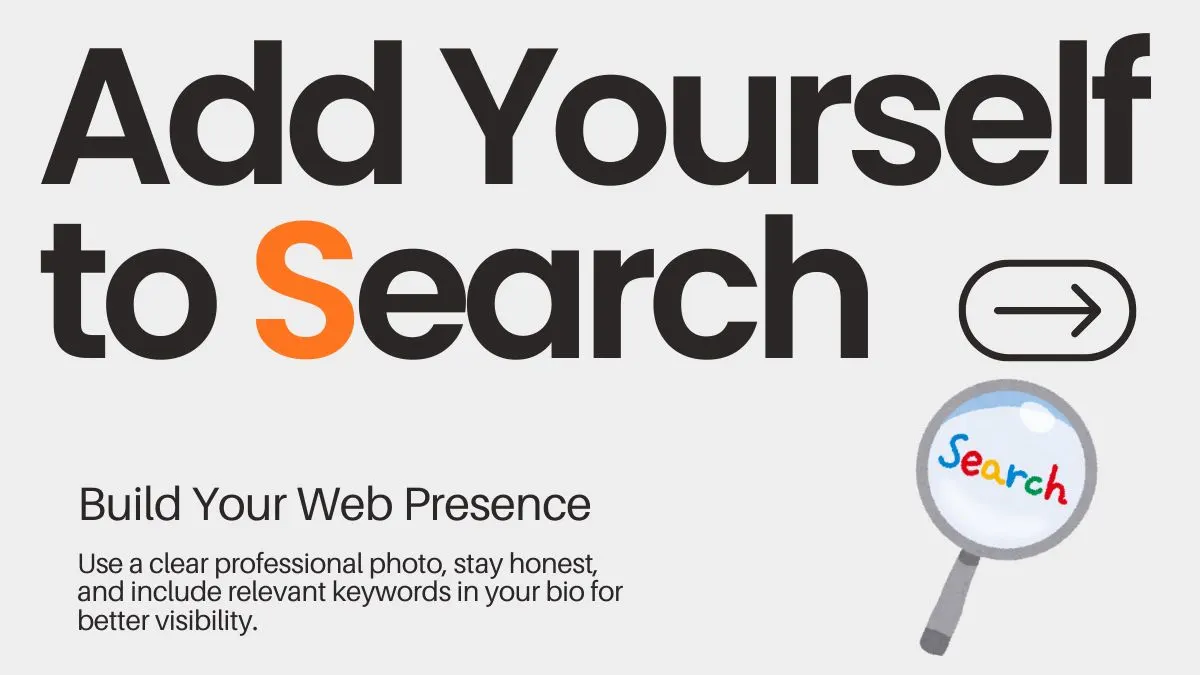
- Use a Clear Image: Your photo should be a professional headshot.
- Be Honest: Google’s AI cross-references your social media profiles.
- Use Keywords: Use terms that potential clients search for within your bio.
Still Can’t See the “Add Me to Search” Option? Here’s the Fix
It can be frustrating when you follow the steps, but the start button doesn’t appear. Because this is a localized feature, Google has strict criteria. If you are struggling to add yourself to search, check these five specific requirements:
1. Check Your Location and Language
Google currently supports the search card feature in specific regions. Luckily, it is fully available if you are located in India, Kenya, Nigeria, or South Africa. However, you must ensure your device language is set to English or Hindi. If your phone is set to another regional language, the option to create a Google People Card might stay hidden.
2. Personal vs. Business Accounts
You must be signed in to a personal Google account. If you are using a workspace email (like name@company.com), Google will not allow you to add yourself to search for privacy reasons. Switch to your private @gmail.com account and try again.
3. Enable Web & App Activity
This is the most common technical “glitch.” For Google to verify your online identity, you must have “Web & App Activity” turned on in your account settings. This allows Google to save your progress as you build your digital business card.
4. Use a Mobile Device
You cannot add yourself to search using a laptop or desktop. Google designed this specifically for the mobile experience. Open the Google app or your mobile browser (Chrome/Safari) on your smartphone to see the “Add me to Google” prompt.
How to Make Sure Your Card Actually Shows Up
Even after you add yourself to search, Google doesn’t guarantee your card will appear for every search. To increase your visibility and ensure your people card on Google is verified, follow these authority-building tips:
- Build Your Web Presence: Google’s AI likes to see “proof” of who you are. Before you add yourself to search, make sure you have active social media profiles on LinkedIn, X, or Instagram.
- Provide Rich Detail: The more contact info and professional details you provide, the more likely Google is to trust your card. A “thin” card with no bio is often ignored by the algorithm.
- Authority is Key: If you have your own website or have been mentioned in news articles, your high-quality presence makes you a prime candidate for a Knowledge Panel – which is the ultimate version of a search card.
Pro Tip for Raipur Users: If you’ve met all these criteria and still don’t see it, try searching for your exact name while logged in. Often, the “Edit” or “Get Started” prompt appears directly under your name in the Google search results.
Conclusion
In 2026, your online presence shouldn’t be left to luck – it should be built with intention. When you add yourself to search, you take control of how people find and see you online. It only takes a few minutes, but the impact on your personal brand and career can last for years.
So don’t wait – pick up your phone, follow the simple steps, and add yourself to search today to secure your place in Google results and stand out from the crowd.