

Keyword research ki zarurat mujhe pehli baar tab samjhi jab maine apna pehla blog post likha tha.
Maine 2,000 words ka ek article likha – poori mehnat ke saath. Topic tha “best ways to improve productivity.” Ek mahine baad traffic dekha – 3 visitors. Teeno shayad main khud tha alag devices se.
Phir kisi ne bataya: “Tune jo likha woh koi search hi nahi karta.”
Woh moment tha jab keyword research ki importance actually samjhi. Seedha simple lesson – pehle jaano log kya search karte hain, phir likho.
Keyword research kya hai – yeh samajhna aaj har us insaan ke liye zaroori hai jo apna content Google pe rank karna chahta hai. Chahe blogger ho, business owner ho, ya freelancer – bina keyword research ke content likhna andheron mein teer maarna hai.
Keyword research kaise karein – yeh guide aapko woh sab kuch batayegi jo chahiye. Aur woh bhi bilkul free tools se. Ek bhi rupaya kharch karne ki zarurat nahi.
Shuru karte hain.
Table of Contents
Keyword Research Kya Hai? – Pehle Yeh Samjhein
Keyword research woh process hai jisme aap discover karte hain ki log Google (ya kisi bhi search engine) pe exactly kya type karte hain – taaki aap un searches ke liye content bana sakein.
Sochiye aise: Aap ek doctor hain. Aap sochte hain log “myocardial infarction treatment” search karte hain. Lekin actually log “heart attack se bachne ke upay” ya “heart attack symptoms in Hindi” search karte hain.
Jo doctor patients ki language mein content likhega – woh rank karega. Jo medical jargon mein likhega – woh page 5 pe rahega.
Yahi hai keyword research ka core purpose – apne audience ki exact language dhundhhna.
Ahrefs ke ek study ke anusaar, 90% se zyada pages Google se zero traffic paate hain. Sirf isliye kyunki unhone koi aise topic pe likha jo koi search hi nahi karta – ya jo itna competitive hai ki naye website ke liye rank karna impossible hai.
Keyword research yeh dono problems solve karta hai.
Keyword Research Kyun Zaroori Hai? – 4 Real Reasons
Sirf “SEO ke liye zaroori hai” – yeh kaafi jawab nahi hai. Deeper samjhein:
Reason 1: Traffic Guarantee Karta Hai
Agar aap ek aise keyword pe rank karte hain jise har mahine 1,000 log search karte hain – toh aapko consistent traffic milti hai. Yeh paid ads jaisi nahi jahan paisa band hote hi traffic band. Yeh organic, free, aur sustainable traffic hai.
Reason 2: Right Audience Attract Hoti Hai
Keyword research sirf traffic ke baare mein nahi hai – right traffic ke baare mein hai.
“Raipur mein digital marketing agency” search karne wala alag intent rakhta hai compared to “digital marketing kya hota hai” search karne wale se. Pehle wala clearly service hire karna chahta hai. Doosra sirf seekh raha hai.
Keyword research yeh intent samajhne mein help karta hai – taaki aap right content, right audience tak pahunchao.
Reason 3: Competitors Ko Analyze Kar Sakte Ho
Keyword research se aap discover kar sakte ho ki aapke competitors kaunse keywords pe rank kar rahe hain – aur kaunse gaps hain jahan woh nahi hain. Woh gaps aapke opportunities hain.
Reason 4: Content Strategy Banane Mein Help Karta Hai
Random topics pe likhne ki jagah – data-driven content calendar banao. Keyword research se pata chalta hai ki kaunsa topic pehle likho, kaunsa baad mein, aur kaunsa skip karo.
Keywords Ke Types – Yeh Samajhna Zaroori Hai
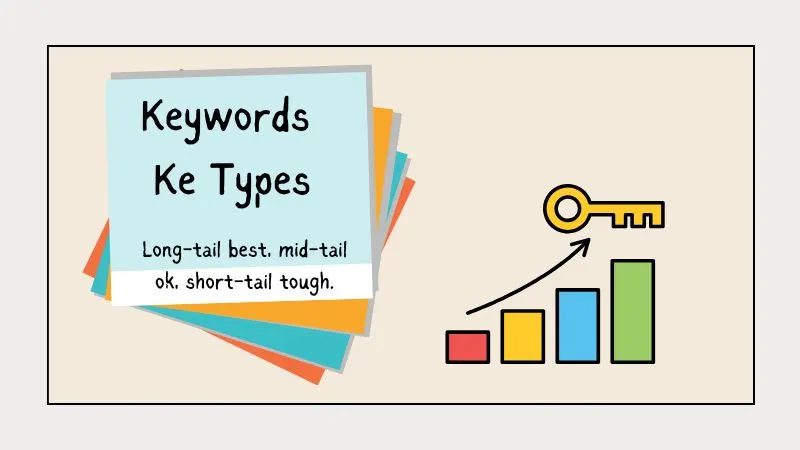
Sab keywords equal nahi hote. Teen main categories hain:
1. Short-Tail Keywords (Head Keywords)
Yeh 1-2 word ke keywords hote hain.
Examples: “SEO”, “digital marketing”, “keyword research”
Characteristics:
- Bahut zyada search volume (lakhs mein monthly)
- Bahut zyada competition
- Vague intent – clear nahi ki user exactly kya chahta hai
Naye websites ke liye suitability: Almost impossible to rank. Established websites ke liye bhi mushkil.
2. Mid-Tail Keywords (Body Keywords)
Yeh 2-4 word ke keywords hote hain.
Examples: “keyword research tools”, “how to do SEO”, “digital marketing Raipur”
Characteristics:
- Moderate search volume
- Moderate competition
- Clearer intent than head keywords
Naye websites ke liye suitability: Possible – lekin thoda time lagega.
3. Long-Tail Keywords
Yeh 4+ word ke specific phrases hote hain.
Examples: “keyword research kaise karein free tools se”, “Raipur mein SEO expert kaise dhundhhein”, “local business ke liye Instagram marketing tips Hindi mein”
Characteristics:
- Low search volume (50-500 monthly)
- Very low competition
- Very specific intent – user exactly jaanta hai kya chahiye
- Higher conversion rate
Naye websites ke liye suitability: PERFECT. Yahan se shuru karein hamesha.
Golden rule: Naye blog ke liye pehle long-tail keywords target karein. 10 long-tail articles rank ho jaayein – tab mid-tail pe jaao. Domain authority build hone ke baad head keywords pe target karo.
Search Intent – Keyword Research Ka Sabse Important Concept

Yeh concept bahut log miss karte hain – aur yahi sabse badi mistake hoti hai.
Search intent matlab: user kisi keyword ko search karte waqt actually kya chahta hai?
Google ab intent ko deeply samajhta hai. Agar aapka content intent se match nahi karta – toh aap kabhi rank nahi karenge chahe keyword perfectly optimize kyun na ho.
4 Types of Search Intent
Informational Intent: User kuch seekhna chahta hai. Search examples: “keyword research kya hai”, “SEO kaise hota hai”, “blogging se paise kaise kamayein” Content type: Blog posts, guides, tutorials, videos
Navigational Intent: User kisi specific website ya page pe jaana chahta hai. Search examples: “Ahrefs login”, “Google Search Console”, “Semrush keyword tool” Content type: Homepage ya specific tool page
Commercial Intent: User kuch kharidne se pehle research kar raha hai. Search examples: “best keyword research tools 2026”, “Semrush vs Ahrefs comparison”, “free vs paid SEO tools” Content type: Comparison posts, reviews, roundups
Transactional Intent: User clearly khareedne ke liye ready hai. Search examples: “Semrush free trial”, “buy Ahrefs subscription”, “SEO agency Raipur contact” Content type: Landing pages, product pages, pricing pages
Practical example: Agar aap “digital marketing course” ke liye content banate hain – toh pehle check karein ki Google pe top results kya hain. Agar wahan course purchase pages hain, toh informational blog post rank nahi karega. Google already samajh chuka hai ki is keyword pe transactional intent zyada hai.
Keyword Metrics – Kya Dekhna Chahiye
Keyword research mein kuch numbers important hain. Inhe samjhein:
Search Volume
Monthly kitne log woh keyword search karte hain.
Ek important caveat: High volume = high competition. 100 searches/month wala keyword easily rankable ho sakta hai. 100,000 searches wala almost impossible for a new site.
Guidance:
- Naye blog: 100-1,000 monthly searches target karein
- 6-12 month old blog: 1,000-5,000
- Established authority site: 5,000+
Keyword Difficulty (KD)
0-100 scale pe – kitna mushkil hai is keyword pe rank karna.
Guidance:
- 0-20: Very easy – naye sites ke liye ideal
- 21-40: Moderate – 6 month+ old sites ke liye
- 41-70: Hard – strong domain authority chahiye
- 71-100: Very hard – sirf established brands
Important: KD score tools pe alag alag hota hai. Semrush ka KD 40 aur Ahrefs ka KD 40 alag things indicate kar sakte hain. Ek tool pe consistent raho.
CPC (Cost Per Click)
Google Ads mein advertisers us keyword pe click ke liye kitna paisa dete hain.
High CPC kyun important hai: Agar advertisers Rs. 500 per click pay kar rahe hain – iska matlab us keyword ke searchers genuinely valuable hain. Yeh high commercial intent indicate karta hai. Content creators ke liye – high CPC keywords pe AdSense se bhi zyada income hoti hai.
Search Trend
Kya keyword growing hai ya declining?
Google Trends se check karein. “Bitcoin” 2021 mein peak pe tha – ab declining trend hai. “AI tools” 2023 se exponentially grow kar raha hai.
Growing trends pe early content banana – jab competition abhi bhi low hota hai – ek major advantage deta hai.
Free Keyword Research Tools – Complete Guide
Ab asli kaam. Yeh 7 free tools aapko wo sab denge jo paid tools dete hain – bilkul free.
Tool 1: Google Search Itself – Sabse Underrated Tool
Agar aapke paas koi bhi tool nahi hai – sirf Google kaafi hai keyword ideas ke liye.
Google Autocomplete: Google pe koi bhi word type karein – ruko aur dekhein kya suggestions aate hain. Yeh real-time data hai. Google woh dikhata hai jo log actually search karte hain.
Agar aap “keyword research” type karein, Google suggest karega:
- keyword research kaise karein
- keyword research tools free
- keyword research for youtube
- keyword research in hindi
Yeh sab real searches hain. Content ideas aur long-tail keywords ka goldmine.
“People Also Ask” Box: Search results mein yeh box dekhein. Yeh exactly woh sawaal hain jo real users poochhte hain. Har question ek potential H2 heading ya FAQ section ban sakta hai.
Related Searches: SERP ke bilkul bottom pe “Related Searches” section hota hai. Yeh additional long-tail keyword ideas deta hai.
Pro tip: Ek keyword dhundhhte waqt related searches note karo. Phir unhe search karo. Unke related searches note karo. Is process se 20-30 keyword ideas sirf 15 minute mein mil sakte hain.
Tool 2: Google Keyword Planner – Free aur Data-Rich
Google Keyword Planner officially paid Google Ads users ke liye banaya gaya tha. Lekin yeh free bhi use ho sakta hai.
Kaise access karein:
- ads.google.com pe jaayein
- Google account se login karein
- “Tools” menu mein “Keyword Planner” select karein
- “Discover new keywords” click karein
Kya milta hai:
- Monthly search volume ranges (free version mein exact numbers nahi – ranges milte hain)
- Related keyword ideas
- Competition level (low/medium/high)
- Seasonal trends
Limitation: Free version exact search volumes nahi dikhata – sirf ranges (like “1K-10K”). Exact numbers ke liye paid Google Ads campaign run karni hoti hai.
Iska best use: Seed keywords ki validate karo aur new keyword ideas discover karo. Exact data ke liye doosre tools use karo.
Tool 3: Google Search Console – Aapki Own Website Ka Data
Agar aapki website already exist karti hai – yeh aapka most valuable free tool hai.
Google Search Console (GSC) dikhata hai:
- Aapki site currently kaunse keywords pe rank kar rahi hai
- Un keywords pe kitne impressions aur clicks aa rahe hain
- Average position kya hai
Yeh keyword research mein kaise help karta hai:
“Performance” report mein dekho. Kaunse keywords pe aap position 5-20 pe hain? Yeh “low-hanging fruit” hain – thoda optimization karoge toh top 3 mein aa sakte hain.
Aur jo keywords position 20-50 pe hain – unpe better content banao. Already signal hai ki Google aapko relevant maanta hai.
GSC filter trick: Queries filter karein – impressions > 100 lekin clicks < 10. Yeh keywords high opportunity hain. Impressions hain matlab log search kar rahe hain. Clicks nahi hain matlab title/meta description better karna hai.
Tool 4: Ahrefs Free Keyword Generator
Ahrefs duniya ka ek top SEO tool hai – aur unka free keyword generator genuinely powerful hai.
Kahan milega: ahrefs.com/keyword-generator
Kaise use karein:
- Website pe jaayein
- Apna seed keyword type karein
- Country select karein (India)
- “Find keywords” click karein
Kya milta hai:
- 150 free keyword ideas
- Search volume data
- Keyword Difficulty score
- Related questions
Best part: Ahrefs ka free tool questions bhi show karta hai – “who”, “what”, “how”, “why” format mein. Yeh FAQ sections aur blog post ideas ke liye perfect hai.
Limitation: Free version mein limited results milte hain. Full data ke liye paid plan chahiye. Lekin beginners ke liye free version ample hai.
Tool 5: Google Trends – Trend Analysis Ke Liye Best
Google Trends free hai aur koi signup nahi chahiye.
trends.google.com pe kaise use karein:
- Keyword type karein
- Country: India select karein
- Time period select karein (last 12 months ya 5 years)
- Related queries section dekhein
Google Trends se kya pata chalta hai:
Seasonal trends: “Diwali decoration ideas” November mein spike karti hai. “Tax filing” March-April mein. Agar aap seasonal content banate hain – 2-3 mahine pehle publish karo taaki Google index kar sake.
Growing vs declining: “WhatsApp marketing” growing trend pe hai. “SMS marketing” declining. Growing topics pe early content = long-term advantage.
Regional interest: India mein kaunse state mein kaun sa topic zyada search hota hai. Raipur ke liye Chhattisgarh filter use karein.
Related queries: Google Trends mein “Related queries” section mein “Rising” tab – yeh woh queries hain jo rapidly grow kar rahi hain. Early movers advantage hai yahan.
Tool 6: AnswerThePublic – Question-Based Keywords Ka Goldmine
AnswerThePublic ek unique tool hai. Yeh Google autocomplete data ko visualize karta hai.
answerthepublic.com pe use karein:
- Free mein din mein 3 searches milti hain
- Seed keyword type karo
- Language/country set karo
Kya milta hai:
Questions: “who”, “what”, “where”, “when”, “why”, “how”, “which”, “will” – in words ke saath automatically questions generate hote hain.
Prepositions: “keyword research with”, “keyword research without”, “keyword research for”, “keyword research near”
Comparisons: “keyword research vs competitor analysis”, “keyword research or content marketing“
Alphabetical: A se Z tak related keywords
Yeh tool specially useful hai FAQ sections ke liye. AI tools aur Google ke “People Also Ask” mein yeh question-format content bahut zyada cite hota hai.
Tool 7: Ubersuggest – Neil Patel Ka Free Tool
Neil Patel ka Ubersuggest Neil Patel ka free SEO tool hai jo beginners ke liye excellent hai.
app.neilpatel.com pe use karein
Free version mein milta hai:
- Keyword search volume
- SEO difficulty score
- Paid difficulty score
- CPC data
- Keyword ideas (limited)
- Competitor analysis (limited)
Limitation: Free plan mein din mein sirf 3 searches allowed hain. Lekin agar aap focused research kar rahe hain – 3 searches mein kaafi kuch mil sakta hai.
Best use case: Quick keyword validation. Koi keyword idea hai – Ubersuggest mein type karo – basic metrics dekho – decide karo worth targeting hai ya nahi.
Step-by-Step Keyword Research Process – Practical Guide
Theory kaafi ho gayi. Ab practically kaise karte hain – step by step.
Step 1: Apna Niche aur Audience Define Karein
Keyword research shuru karne se pehle clearly define karein:
- Aapka blog/website kis topic pe hai?
- Aapka ideal reader kaun hai?
- Unki main problems kya hain?
raipurtalks.com example:
- Topic: Digital marketing, SEO, local business growth
- Ideal reader: Raipur/CG ke small business owners, bloggers, freelancers
- Their problems: “Online mein kaise aayein”, “Google pe kaise rank karein”, “Social media se customers kaise laayein”
Yeh clarity keyword research ko dramatically easier banati hai.
Step 2: Seed Keywords List Banayein
Seed keywords woh broad terms hain jisse aap keyword research start karte hain.
Seed keywords kaise find karein:
- Apne niche ke main topics list karein (5-10)
- Industry terms jo aapko pata hain
- Woh words jo aap khud use karte hain
- Woh jo aapke customers use karte hain
RaipurTalks ke liye example seeds:
- digital marketing
- SEO
- keyword research
- content marketing
- social media marketing
- Google ranking
- website traffic
- blogging
In seeds se aap expand karenge.
Step 3: Keywords Expand Karein
Har seed keyword ko Google Autocomplete, AnswerThePublic, aur Ahrefs free tool mein daalein.
Process:
- Google pe seed type karein – autocomplete suggestions note karein
- AnswerThePublic mein seed daalein – questions note karein
- Ahrefs free generator mein daalein – related keywords note karein
- “People Also Ask” box dekhen – questions note karein
- Related searches dekhen – additional ideas note karein
Yeh sab ek spreadsheet mein note karte jaao. Pehle quality check mat karo – quantity generate karo.
Step 4: Keywords Filter Karein
Ab uss list ko filter karo.
Filter criteria:
Search volume: Naye site ke liye 100-2,000 monthly searches ideal hain. Zero volume = koi nahi dhundhhta. 50,000+ volume = too competitive.
Keyword difficulty: Naye site ke liye KD 20 se neeche target karein. Google Search Console ya Ahrefs free tool se check karein.
Search intent match: Kya aap us intent ke liye content bana sakte ho? Agar transactional intent hai aur aapke paas product nahi – skip karo.
Business relevance: Kya yeh keyword aapke actual audience ke liye relevant hai? High traffic lekin irrelevant audience – waste of time.
Step 5: Competitor Analysis – Kya Rank Kar Raha Hai Already
Us keyword ke liye Google pe search karein. Top 10 results dekhen.
Kya analyze karein:
Domain authority: Kya top results Wikipedia, Forbes, HubSpot jaisi big sites hain? Toh woh keyword for now skip karo.
Content quality: Top ranking content kitna detailed hai? Aap us se better likh sakte ho kya?
Content age: Agar top results 2018-2020 ke hain – outdated hain. Fresh, updated content easily rank kar sakta hai.
Featured snippets: Kya koi featured snippet hai? Agar hai – exactly woh format mein better answer do. Snippet steal karne ka chance hai.
Step 6: Final Keywords Select Karein aur Prioritize Karein
Ab apni filtered list se final keywords select karein.
Priority order:
- Low difficulty + moderate volume + clear intent = Highest priority
- Low difficulty + low volume + very specific intent = High priority (conversion ke liye better)
- Moderate difficulty + high volume = Future targets
Har keyword ke liye ek content piece assign karein aur content calendar mein daalen.
Keyword Research Ka Common Framework: TAO Method
Yeh framework main personally use karta hoon. Simple aur effective hai.
T – Topic relevance: Kya yeh keyword mere niche ke liye relevant hai?
A – Achievability: Kya is keyword pe rank karna mere liye realistic hai right now?
O – Opportunity: Agar rank aa gaya – kya is se actual business result aayega (traffic, leads, sales)?
Teeno boxes tick karein – woh keyword pursue karein. Ek bhi box miss ho – skip ya postpone karein.
Keyword Research 2026 Mein: AI Ka Impact
2026 mein keyword research sirf Google ke liye nahi – AI search engines ke liye bhi optimize karna padta hai.
ChatGPT, Gemini, Perplexity – yeh tools ab answers dete hain. Users direct answers maangna chahte hain – aur yahi unhe milta bhi hai often.
Iska aapke keyword research pe impact:
Question-format keywords zyada important ho gaye hain: “How to do keyword research” – yeh format AI tools directly cite karte hain. Conversational questions target karein.
Long-form, specific answers: AI tools woh content prefer karte hain jo specific, factual, aur well-structured ho. Vague content AI mein cite nahi hota.
Zero-click searches badh rahe hain: Google AI Overviews direct answers deta hai – users click nahi karte. Isliye simply ranking kaafi nahi – brand visibility bhi target karni hai.
Brand keywords increasingly important: Jaise organic clicks kam hote hain AI ki wajah se – branded searches (log directly aapka naam search karein) zyada valuable hote hain.
Long-Tail vs Short-Tail: Practical Decision
Yeh table aapka confusion dur kar dega:
| Factor | Short-Tail | Long-Tail |
|---|---|---|
| Search volume | Very high | Low-moderate |
| Competition | Extreme | Low |
| New site suitability | No | Yes |
| Conversion rate | Low | High |
| Time to rank | 1-2+ years | 3-6 months |
| Intent clarity | Vague | Very specific |
| Example | “SEO” | “Raipur mein SEO kaise karein beginners ke liye” |
Clear recommendation: Pehle 6-12 months sirf long-tail. Phir mid-tail. Short-tail tab jab domain authority strong ho.
Keyword Research Mistakes – Jo Beginners Karte Hain

Yeh galtiyan avoid karein:
Galti #1: High volume keywords pe focus karna “Zyada search volume = better” – yeh myth hai. Ek keyword jise 100 log search karte hain lekin aap rank kar sako woh zyada valuable hai – than ek 100,000 search volume wala keyword jis pe aap page 10 pe hain.
Galti #2: Keyword stuffing Article mein baar baar forcefully keyword daalna. Google 2012 mein hi yeh pattern penalize karna shuru kar diya tha. Naturally likho. Keyword naturally aayega.
Galti #3: Search intent ignore karna Great keyword – wrong content type. Yeh rank nahi karega. Intent match karna mandatory hai.
Galti #4: Single keyword pe obsess karna Ek achha article 50-100 related keywords pe rank kar sakta hai. Sirf ek “focus keyword” pe obsess mat karo. Related terms naturally use karo.
Galti #5: Research ek baar karke chhod dena Keyword research ek ongoing process hai. Google trends change hote hain. New keywords emerge karte hain. Har 3-6 mahine mein revisit karo.
Galti #6: Competitor research skip karna SERP check karna mandatory step hai. Top results dekhe bina – aap andhere mein kaam kar rahe ho.
Galti #7: Only head keywords target karna New site ke saath “digital marketing” rank karwane ki koshish = failure guaranteed. Humility rakhein – long-tail se shuru karein.
Practical Example: RaipurTalks Ke Liye Keyword Research
Let me show you exactly – realistic example ke saath.
Seed keyword: “digital marketing”
Google Autocomplete se milne wale ideas:
- digital marketing kya hai
- digital marketing course
- digital marketing kaise karein
- digital marketing Raipur
- digital marketing Hindi mein
AnswerThePublic se questions:
- digital marketing se paise kaise kamayein
- digital marketing kab shuru karein
- digital marketing kaise seekhein free mein
- digital marketing aur traditional marketing mein kya farq hai
Long-tail opportunities for RaipurTalks:
- “digital marketing Raipur” – local, low competition, direct client potential
- “digital marketing kaise karein Hindi mein” – specific, low competition
- “digital marketing free mein seekhein” – high intent, moderate volume
Which one to target first: “digital marketing Raipur” – kyunki: ✅ Locally specific = very low competition ✅ Commercial intent = direct clients ✅ Already align karta hai hamare niche se
Lesson: Same seed keyword se alag alag opportunities nikali – aur best one ko prioritize kiya based on our specific situation.
Frequently Asked Questions: Keyword Research
Q: Keyword research kitna time leta hai?
A: Initial research ek naye blog ke liye – 2-4 ghante. Har new article ke liye – 30-60 minutes. Jaise experience badhta hai – faster ho jaata hai. Beginners ke liye weekly dedicated time rakhein keyword research ke liye.
Q: Ek article mein kitne keywords target karein?
A: Ek primary keyword + 5-10 related secondary keywords + LSI terms. Lekin content naturally likho – har jagah keywords mat thoso. Primary keyword focus rakho; baaki naturally aayenge.
Q: Kya free tools paid tools jaitna accurate hain?
A: Exact accuracy mein fark hoga – lekin decision-making ke liye free tools sufficient hain. Jab seriously scale karna ho tab Ahrefs ya Semrush consider karein. Shuru mein free tools se kaam chalao.
Q: Long-tail keywords se actually traffic aati hai?
A: Haan. Ek long-tail keyword 50 monthly searches ka bhi ho sakta hai – lekin agar aap #1 pe rank karo toh 30-40 highly targeted visitors milenge. Yeh visitors high-intent hote hain – convert zyada hote hain.
Q: Kya same keyword baar baar use kar sakte hain different articles mein?
A: Nahi – isko “keyword cannibalization” kehte hain. Ek keyword ek page ke liye assign karein. Same keyword pe multiple pages banane se dono pages ki ranking hurt hoti hai. Similar topics hain toh clearly differentiate karein.
Q: Keyword research ke baad kya karein?
A: Yoast SEO-optimized content banayein – focus keyword title, meta description, first paragraph, aur headings mein naturally include karein. SEO Guide mein poora on-page SEO process cover kiya gaya hai.
Q: Kya sirf Google Autocomplete se kaam chal sakta hai?
A: Beginners ke liye – haan, kaafi had tak. Google Autocomplete + People Also Ask + Related Searches – yeh teeno milke bahut saare keywords de sakte hain. Tools zyada data aur metrics dete hain – lekin ideas ke liye Google khud kaafi hai.
Aapka 7-Day Keyword Research Action Plan
Sab kuch ek saath karna overwhelming lagta hai. Yeh 7-day plan follow karein:
Day 1: Apna niche aur ideal audience clearly define karein. Likho – kaun hai aapka reader, unki top 5 problems kya hain.
Day 2: 10 seed keywords brainstorm karein. Koi tool nahi chahiye – sirf dimaag aur paper.
Day 3: Google Autocomplete aur People Also Ask use karein. Har seed keyword se 5-10 related terms nikaalein.
Day 4: AnswerThePublic pe 3 best seed keywords search karein. Saare questions note karein spreadsheet mein.
Day 5: Google Trends pe top 5 keywords check karein. Growing trends identify karein. Seasonal patterns note karein.
Day 6: Ahrefs free tool pe 5 most promising keywords ka difficulty score check karein. Low difficulty wale prioritize karein.
Day 7: Final list banayein – 20-30 target keywords. Priority assign karein aur content calendar mein enter karein.
Result: 7 din mein aapke paas ek data-driven content plan hoga – jo Google traffic laane ke liye designed ho.
Conclusion: Keyword Research Ek Skill Hai – Aur Yeh Seekhi Ja Sakti Hai
Woh pehla blog post yaad hai jo 3 visitors laaya tha?
Uske baad maine keyword research seriously seekha. Aur next article – jo maine “digital marketing kaise seekhein free mein” pe likha – pehle mahine mein 340 visitors laaya. Chhota number – lekin woh targeted visitors the. Relevant. Real.
Keyword research koi magic nahi hai. Yeh ek systematic process hai – aur yeh process aap bhi follow kar sakte hain.
Key takeaways yaad rakho:
- Long-tail se shuru karo
- Search intent hamesha match karo
- Free tools se bhi serious research hoti hai
- Competitors zaroor check karo
- Consistency rakho – ek baar ki research kaafi nahi
Aaj hi shuru karein. Google Autocomplete kholo. Apne niche ka ek seed keyword type karein. Dekhein kya suggestions aate hain.
Woh suggestions – wahi aapka starting point hai.
Koi specific keyword research sawaal hai? Comment mein poochhein – seedha jawab milega.